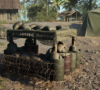
Patch 1.6 is now live, bringing a major audio overhaul, Unit composition changes, a rework of Engineer Buildables, significant Admin Camera improvements and much more.
Alongside these larger changes, Patch 1.6 includes another extensive round of quality-of-life improvements and bug fixes across gameplay, vehicles, UI, servers, maps and more.
Audio Update
We’ve completed a major audio pass across weapons, spawn points and battlefield ambience, with the goal of making combat sound more impactful while improving clarity across the battlefield.
Weapons
- Remixed the M16A1, Type56, RPD and K50M to reduce “clicky” elements when firing in first-person
- New firing SFX and fire rate adjustments for the M60 LMG
- New distant firing SFX for all weapons, so they are more consistent and distinct at range for other players
- Refreshed and reworked explosion SFX for grenades and artillery strikes
- Increased the bass frequencies on all weapons, which are also now make fuller use of subwoofers on supported surround systems
- Fixed an issue where some weapon fire SFX would move direction with the player turning
- New SFX added for when a grenade launcher is fired under the “priming” distance and does not explode
Outposts/Garrisons/Tunnels
- Spawn nodes are now occluded by world objects, so players will be able to hear if an outpost is behind a wall or obstacle
- Reduced the distance tunnel nodes can be heard from and reduced how audible they are from helicopters
Ambience
- Added a “Warzone” sounding layer to the level ambience containing distant explosions and gunfire. These are set to a level so they won’t be mistaken for player actions or firing
UI Audio
- Added a new vehicle hit marker sound, to improve indication to players when they are damaging vehicles
- Added a new musical hit/stinger when victory or loss is near during a match
Helicopters
- Added SFX to accompany when the helicopter rotor blades are taking damage
- Added water splash SFX when helicopter supplies hit bodies of water
Unit Changes
We’ve adjusted Unit composition to provide Squads with greater flexibility and help keep more players alive and in the fight.
Units can now field 2 Medics, increased from 1, while the number of available Rifleman slots has been reduced from 3 to 2.
Buildables Overhaul
The Engineer is an essential role on the battlefield, with their ability to build defenses for the team to fortify a position. However, we’ve seen that with the faster pace of Hell Let Loose: Vietnam, combined with the importance of supplies for maintaining spawn networks, Engineers have fewer opportunities to fortify positions than we’d like.
With Patch 1.6, we’re making a major pass on Buildables to make defensive construction more accessible, useful and worthwhile.
The biggest change is that all Level 1 Buildables are now free to place and construct.
Supplies are still required to upgrade them to higher levels, but Engineers can now establish basic defensive positions without consuming the team’s Supply reserves.
The limits per item have changed though, so you won’t be able to place quite as many per engineer:
- Barbed Wire: 2 per engineer (unlimited per team)
- Barricade: 2 per engineer (50 per team)
- Bunker: 1 per engineer (10 per team)
Additionally the buildables themselves are more useful, redesigned to provide better protection for superior cover, with additional elements added to make them harder to scale or navigate.
Barbed Wire
Barbed Wire is now unique to each faction, with layouts that have different pass through sections. Bleed damage is still applied so players must take this into consideration if they risk pushing through.
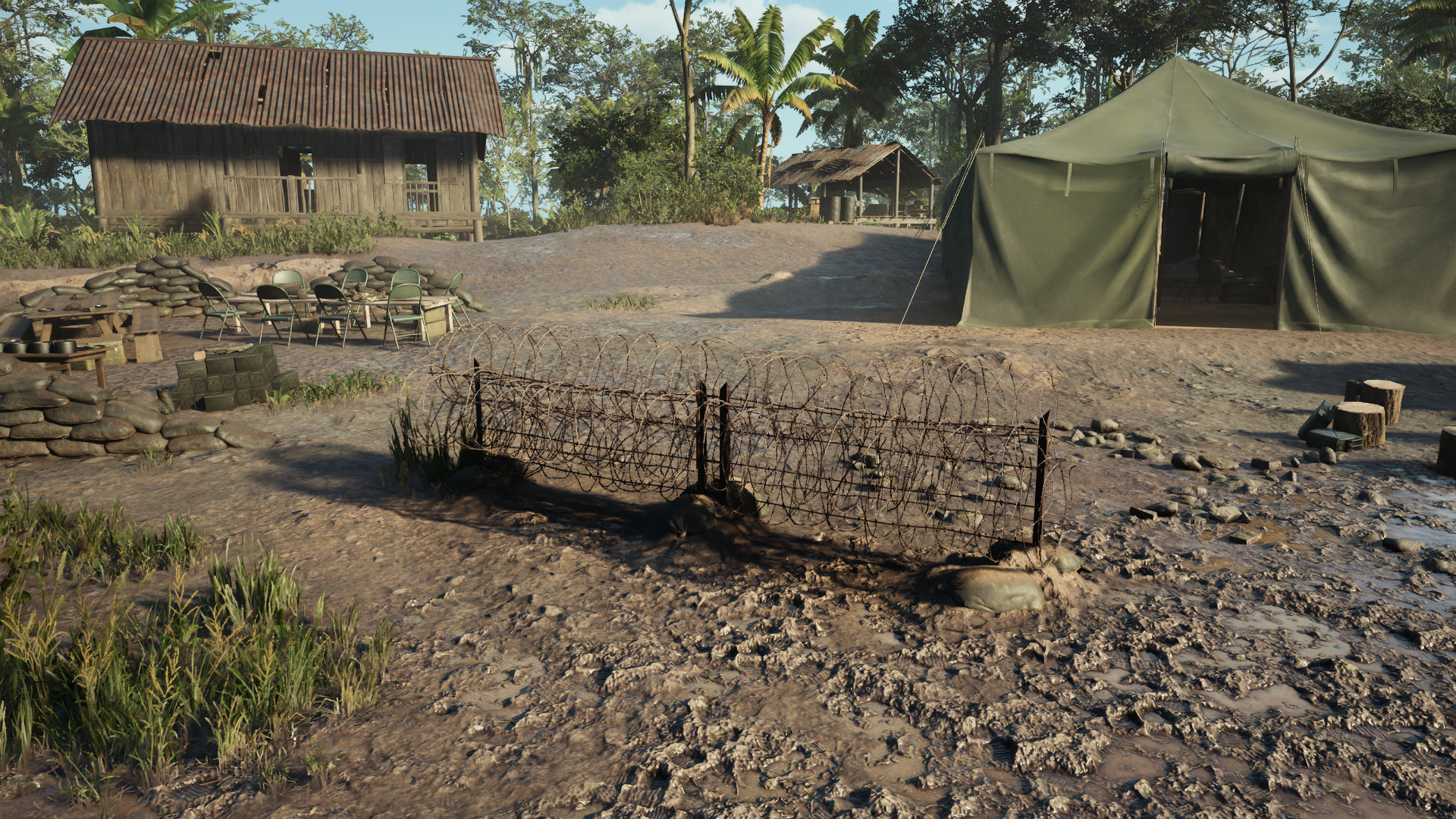 US Barbed Wire
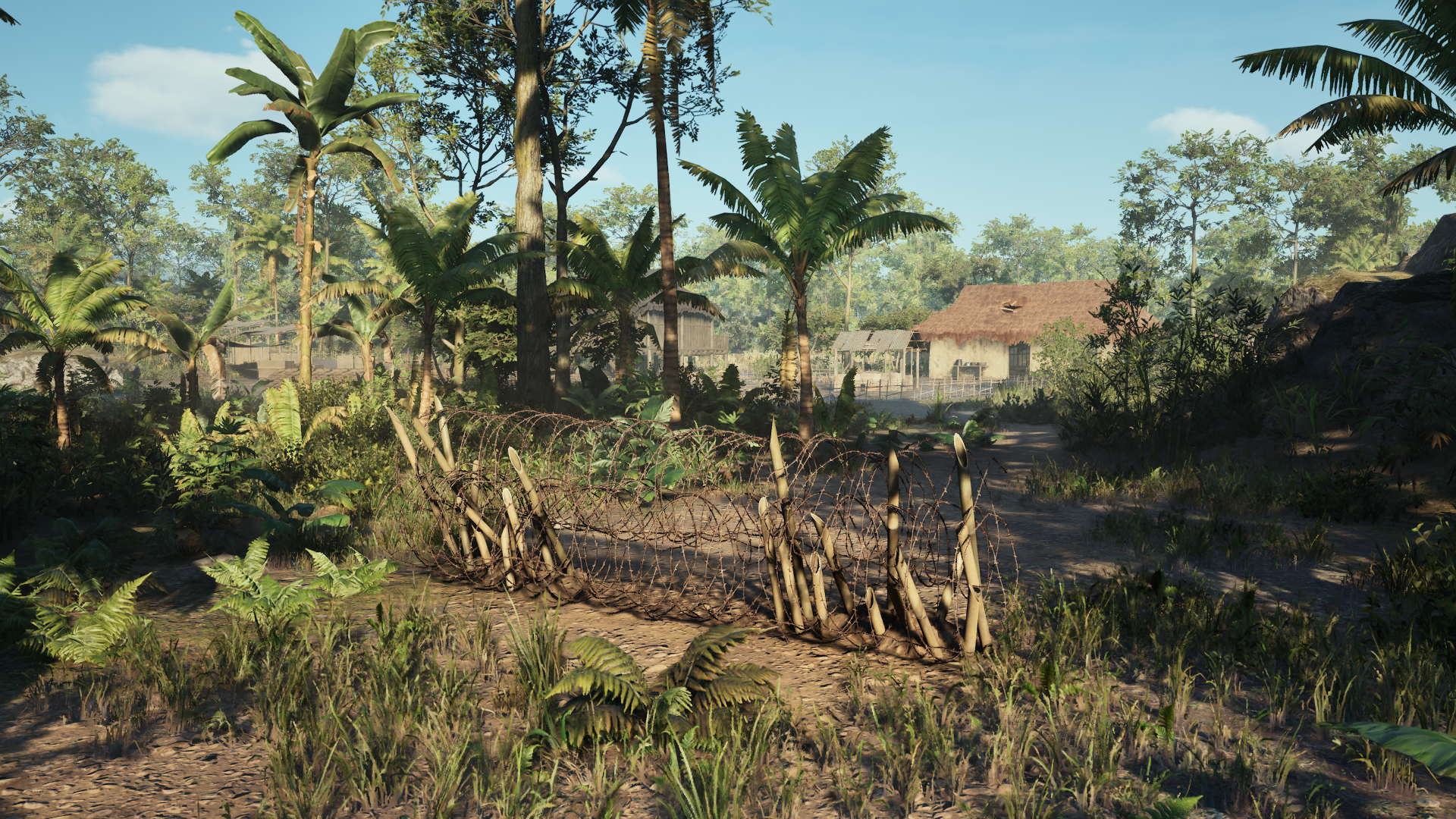 NVA Barbed Wire
Barricade:
Along with better metrics, there is also additional functionality with the fully upgraded version featuring a strip of Barbed Wire, this acts as a deterrent for the other team to climb over.
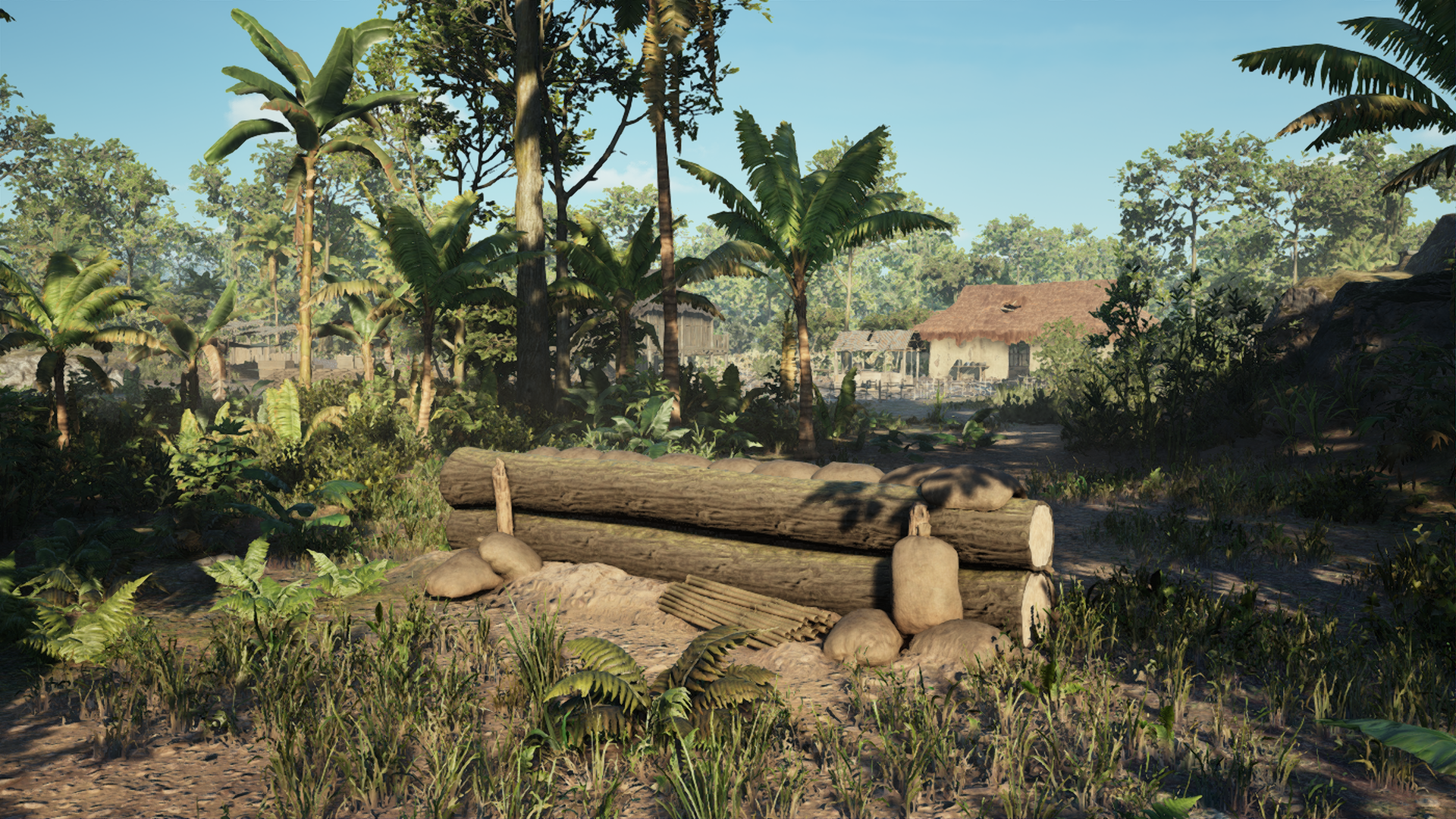 NVA Level 1 Barricade
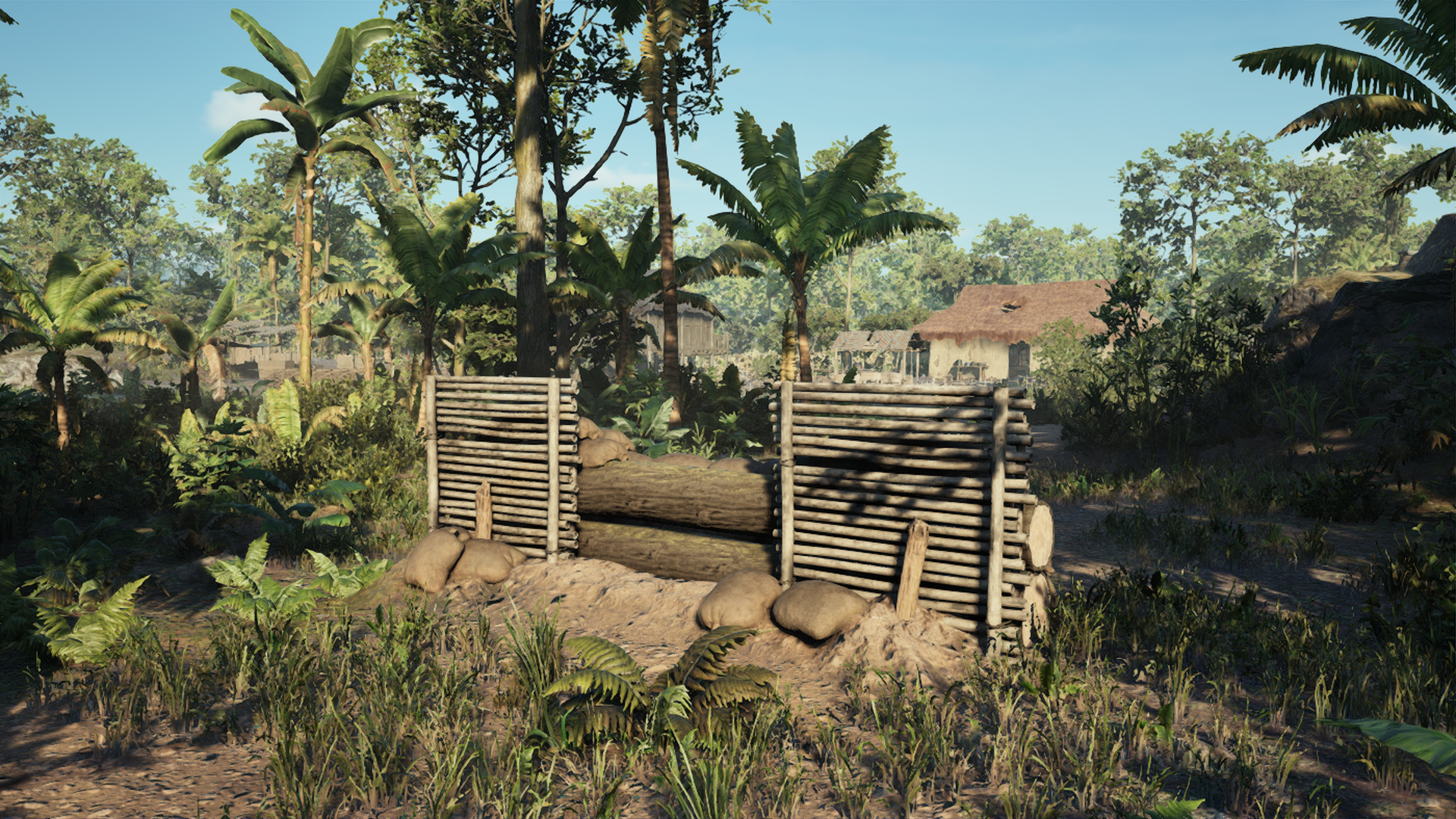 NVA Level 2 Barricade
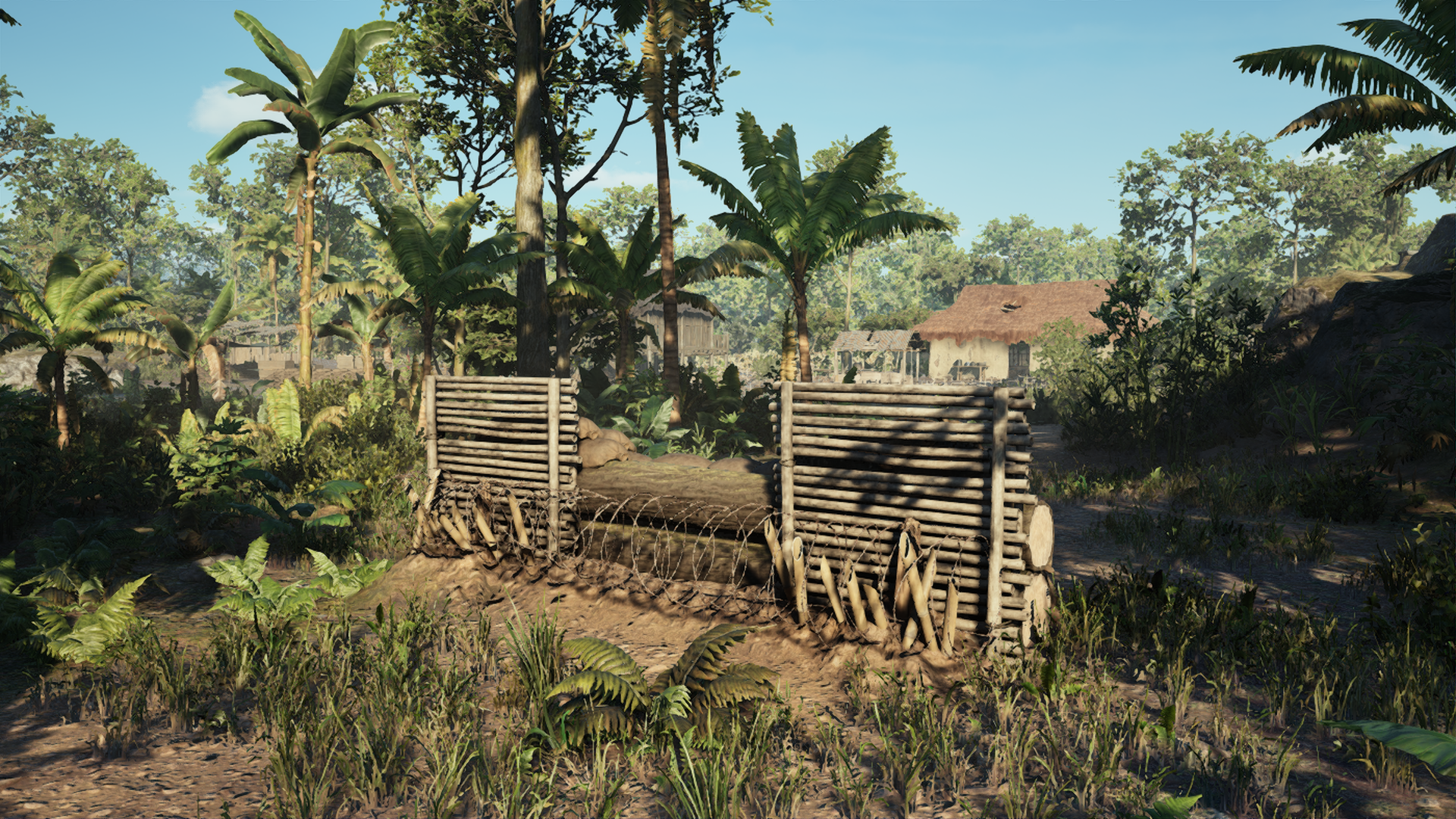 NVA Level 3 Barricade
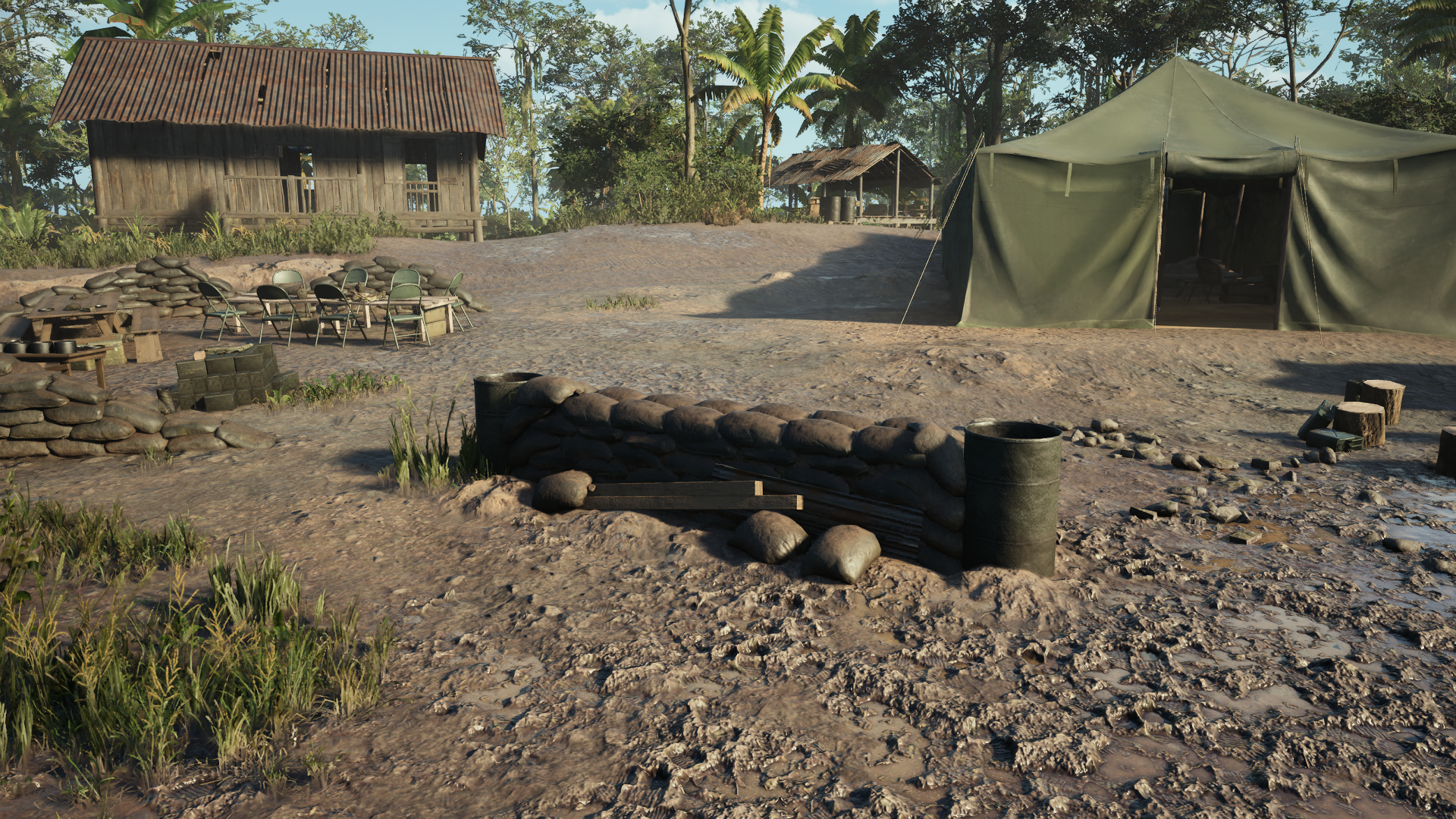 US Level 1 Barricade
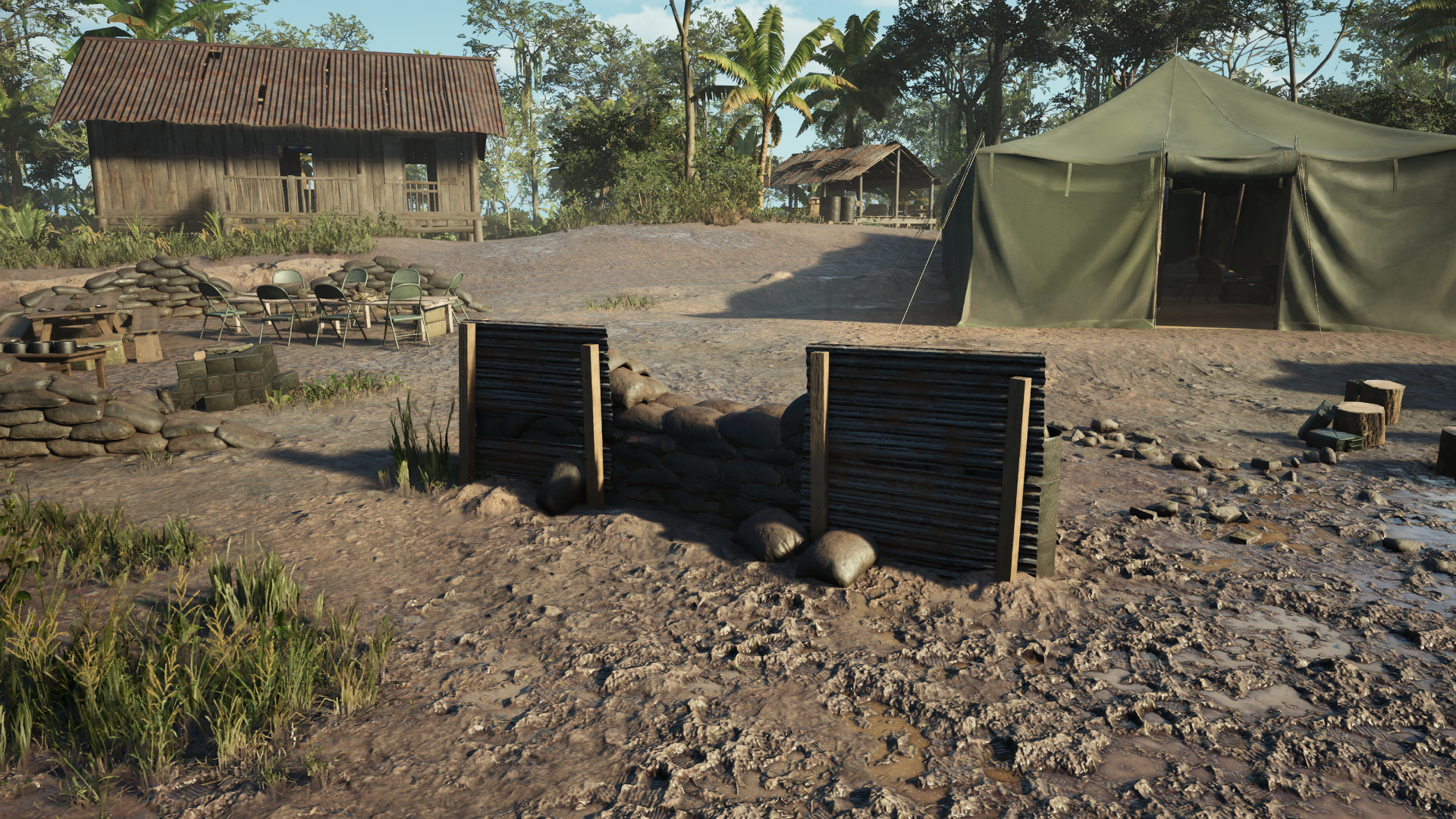 US Level 2 Barricade
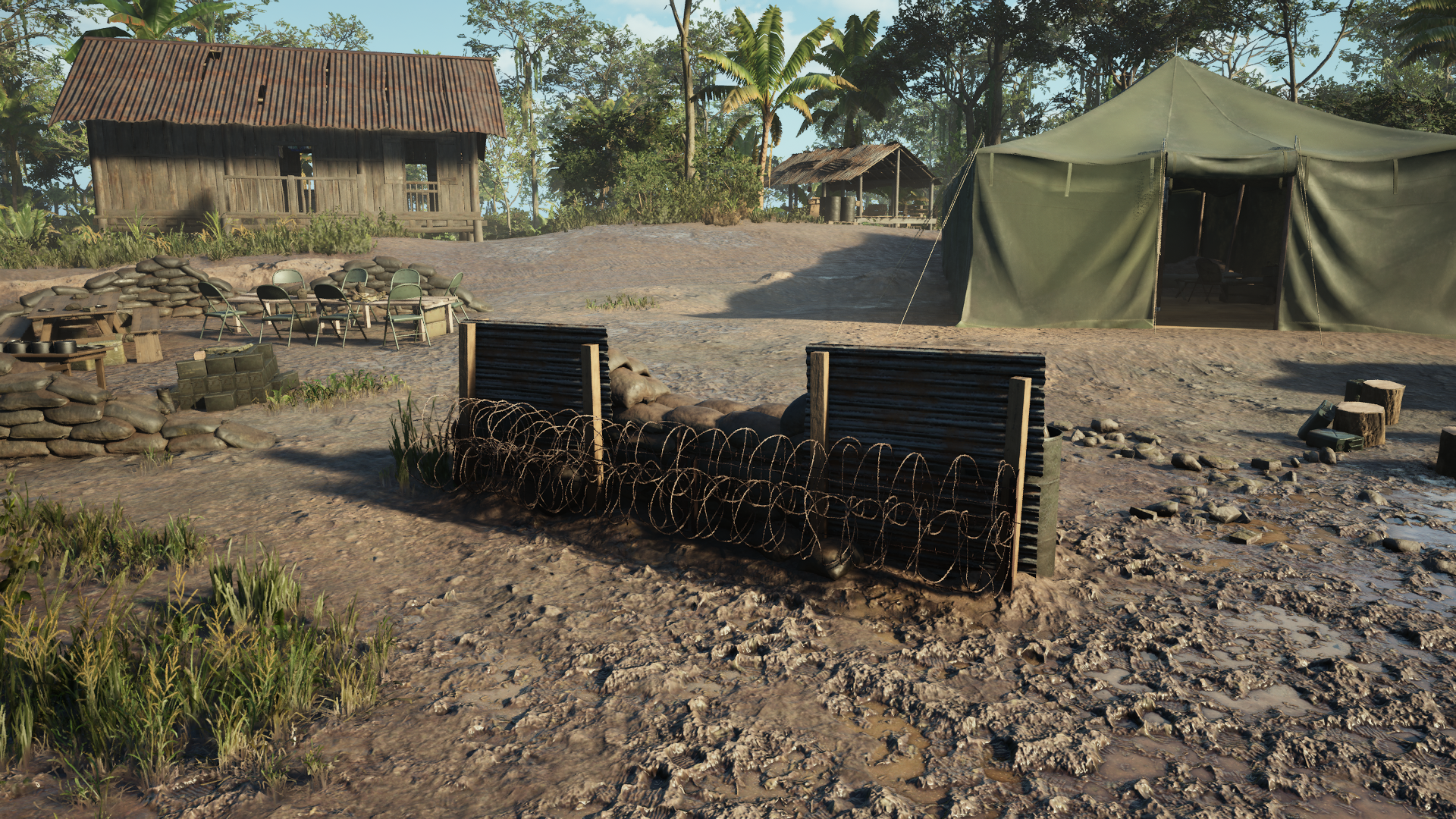 US Level 3 Barricade
Bunker:
The Bunker has been reduced in size, allowing it to be placed more easily in Vietnam’s challenging terrain. Built with the machine gunner in mind, it allows them to deploy their gun easily and offer a well protected vantage point. Like the Barricade the fully upgraded Bunker offers the same Barbed Wire deterrent as well as some additional cover to shield from enemy fire.
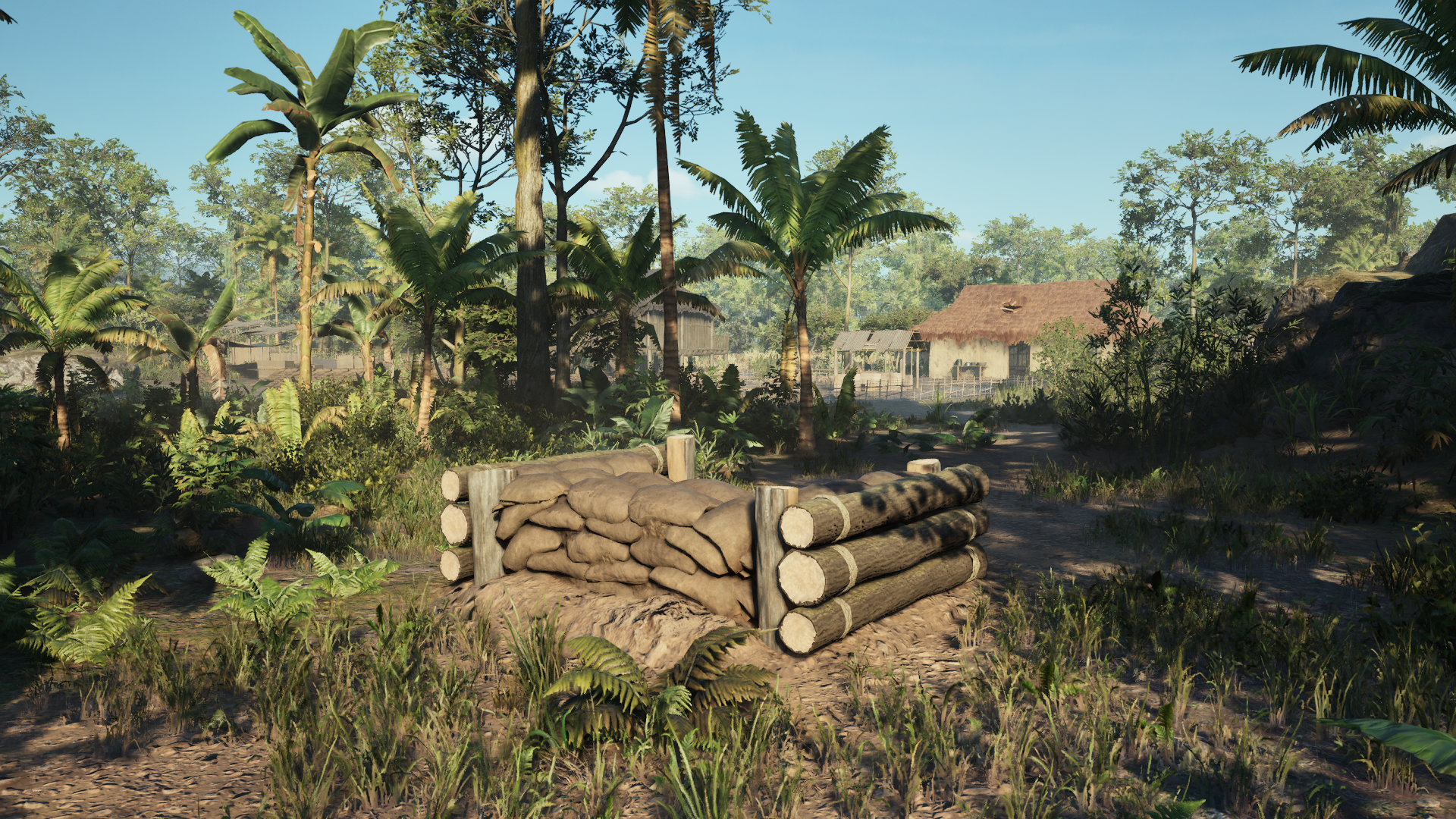 NVA Level 1 Bunker
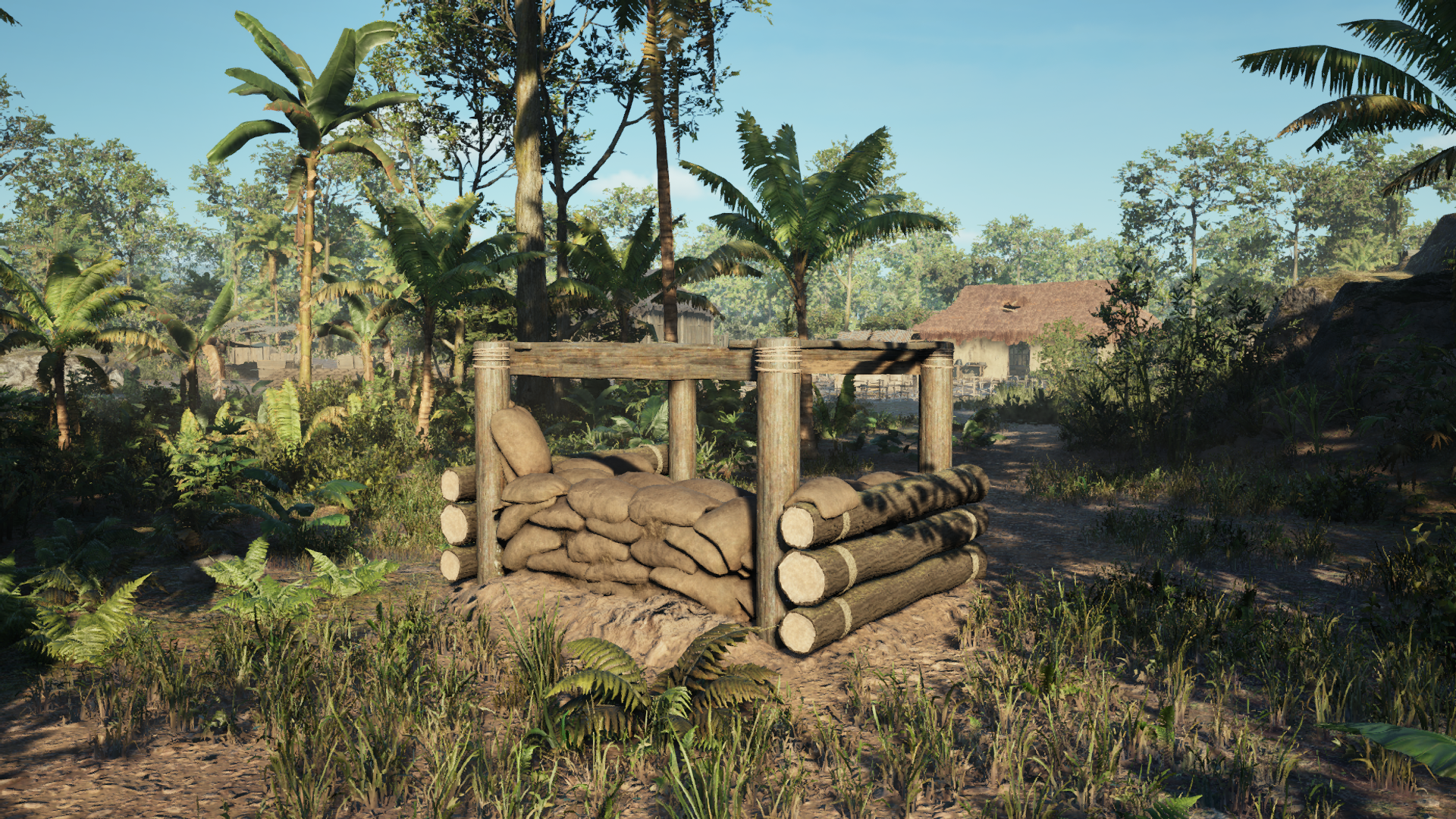 NVA Level 2 Bunker
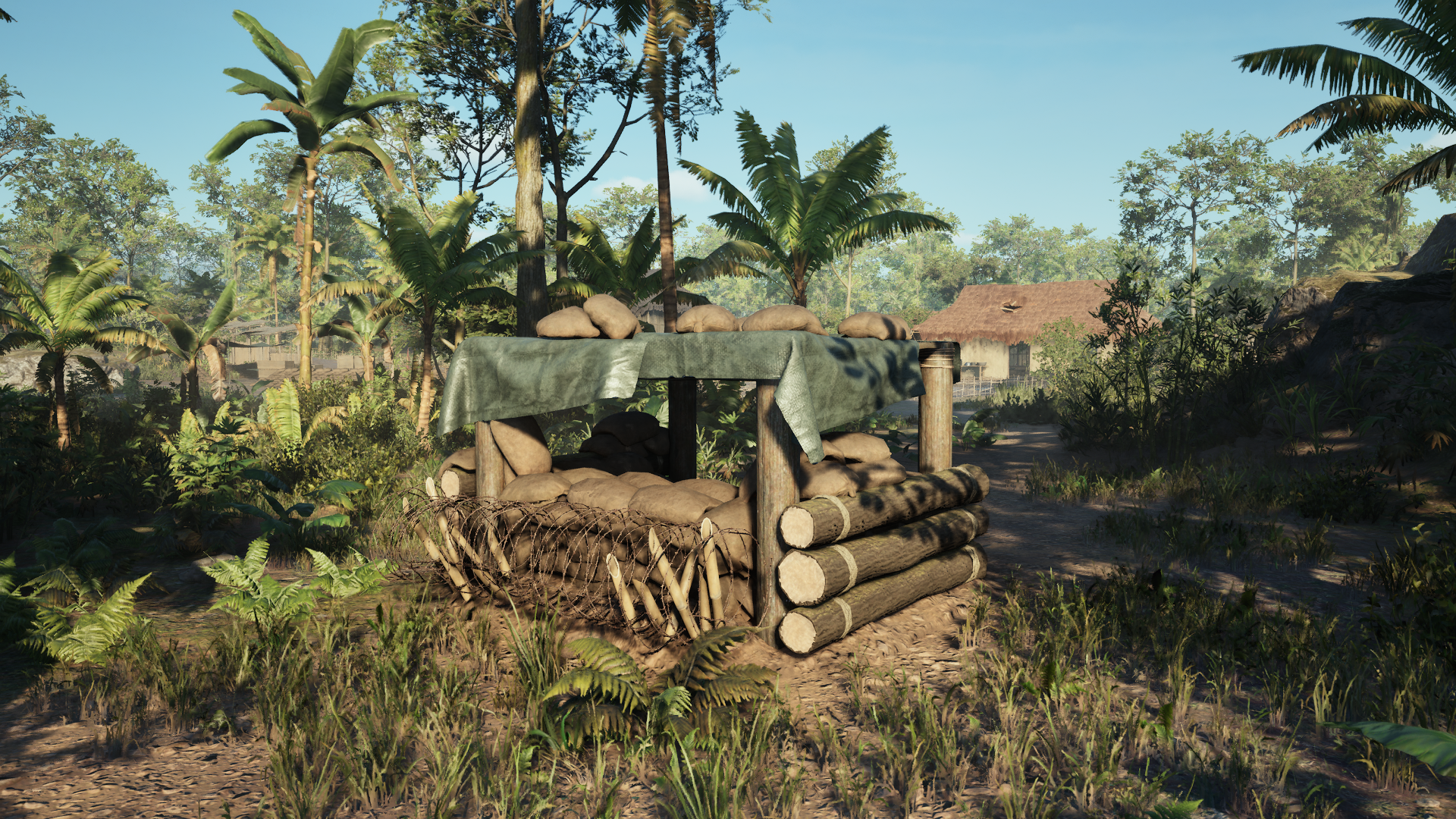 NVA Level 3 Bunker
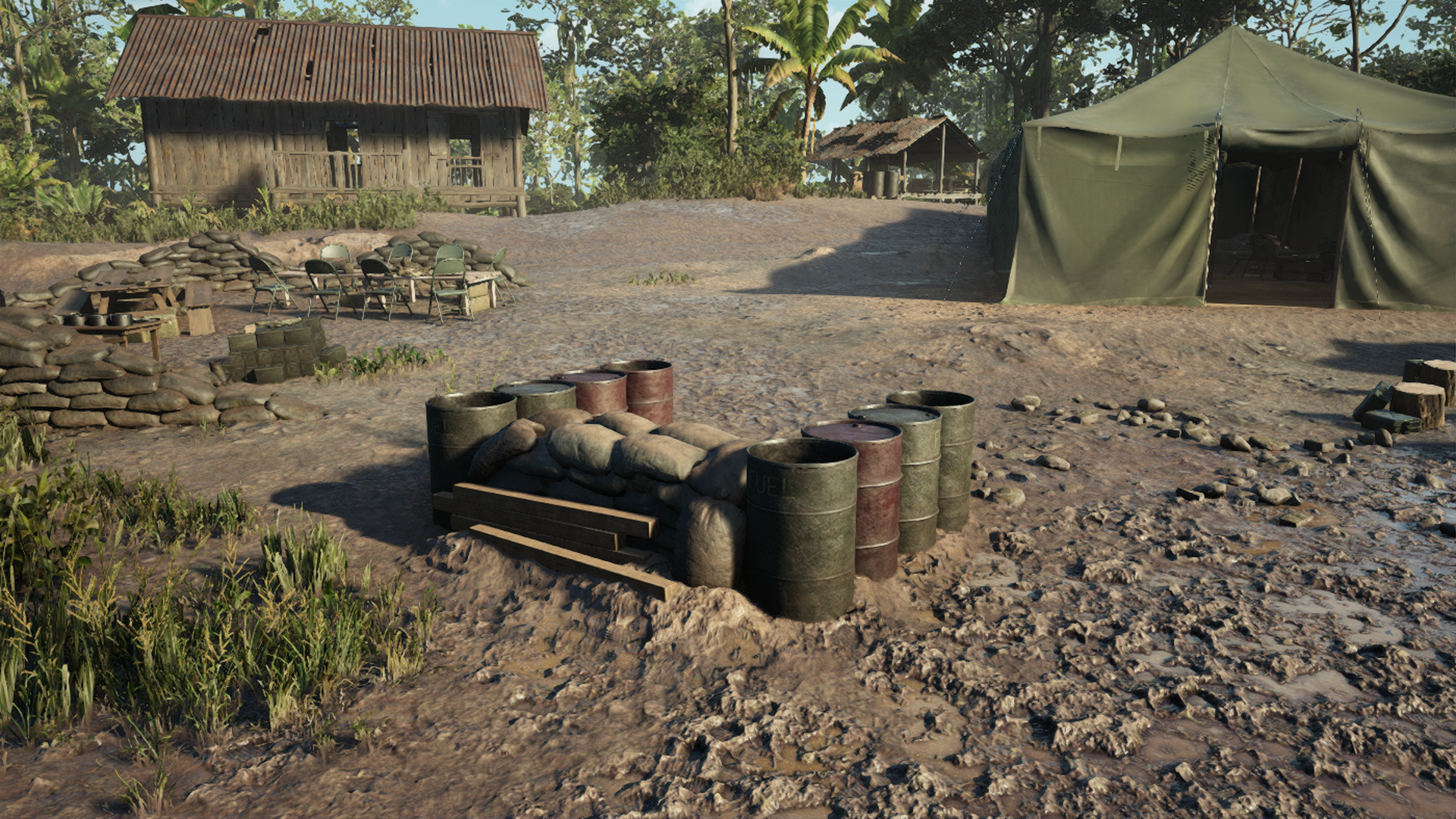 US Level 1 Bunker
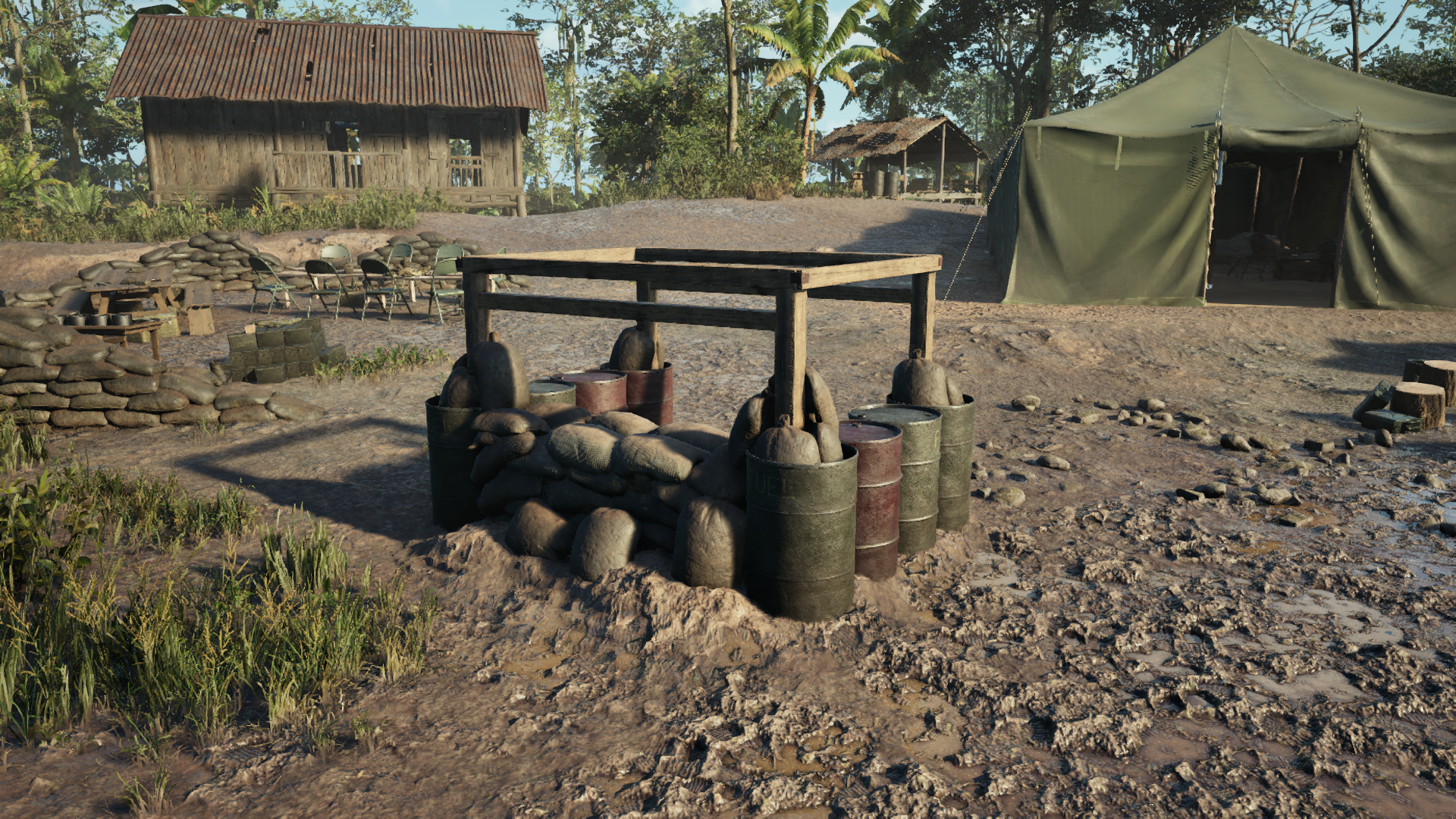 US Level 2 Bunker
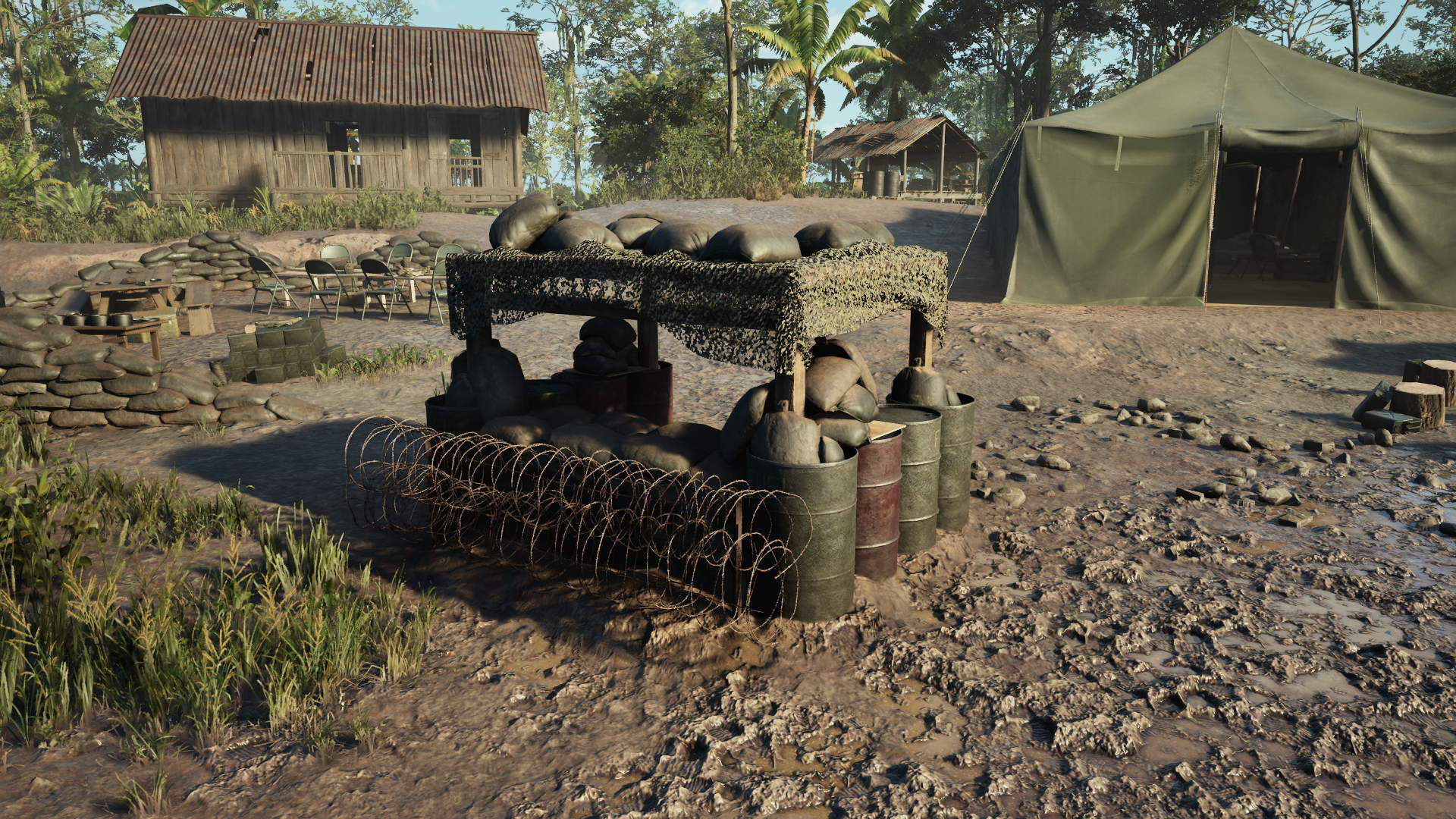 US Level 3 Bunker
Admin Camera
We know the Admin Camera plays an important role for competitive events, casting and community broadcasts. Following feedback from those using it, Patch 1.6 includes a substantial round of improvements to make spectating matches smoother and more reliable.
- Camera shake is now applied when observing another user firing their weapon from the first person perspective
- Scoped weapons and equipment, alongside deployed Machine Guns, are now displayed from the correct point of view
- Locking your view onto the Mortars, AA guns & boats no longer places the camera underground.
- Updated the camera positions for both factions’ boats.
- The Cycle Camera Adjust overlay now reflects the correct mouse button bindings
- The first equip of the M72 of an observed player in first person perspective now plays the equip animation correctly
- Players are now returned to the first person perspective of the player being watched when they leave a vehicle
- Conflicting keybindings in the admin camera have been resolved
- When returning to gameplay after disabling the HUD in the admin camera, the HUD appears as expected
- The button for exiting the Admin Camera has been renamed to “Leave Admin Camera”
If you’d like to see admin camera in action, be sure to check out some of our Content Corp such as SmithersCast and DasAltberg.
Commanders Orders
Commander Order overlays could previously remain on the Tactical Map long after an ability had begun, creating unnecessary clutter.
In Patch 1.6, the radial timer for each Commander Order is now individually timed to complete when the effect begins, such as when the first bomb is released during a Bombing Run.
This should keep the Tactical Map clearer and make it easier for Commanders to see the impact of their Orders.
Notable Updates & Fixes
There have been 100+ changes made in Patch 1.6. with most of which are listed in the changelog below.
Here are some of the key changes made however:
- Audio Overhaul – Major updates to weapon audio, distant gunfire, explosions, spawn audio and battlefield ambience.
- Buildables Overhaul – Level 1 Buildables are now free, alongside redesigns to Barricades, Bunkers and Barbed Wire.
- Unit Composition – Units can now field two Medics.
- Vote Kick – Vote Kick notifications are visible by default, with more time to respond.
- Server Browser & Enlist Screen – Fuller servers are prioritised again, with filters persisting after restarting and Favourites have been improved.
- Reduced Official Servers – We have reduced the number of official servers to support community servers.
- Helicopter Controls – Further mouse input and inversion improvements.
- Admin Camera – Multiple improvements for competitive broadcasts and spectating.
- VFX & Stability – A broader VFX refactor addresses several sources of crashes.
- Maps – 25 map-specific fixes across all six maps.
Full Patch 1.6 Changelog
Gameplay
- The mounted guns ADS for helicopters, boats and AA guns now correctly uses the ADS sensitivity instead of the look sensitivity
- Overtime for conquest mode now only triggers when the side with the majority run out of morale
- The threshold for being run over has been increased to reduce the chances of being killed by a slowly rolling vehicle.
- Players can no longer be downed if they’re standing on-top of a vehicle, they are instead killed
- Actions no longer repeat if they’re performed whilst entering the pause menu at the same time
- The player is no longer able to fire the flamethrower through the Warm-Up Barrier
- Players can no longer be dragged through the mounds on Đắk Tô
- Improvements have been made to the ‘smoothness’ of dragging from both the player being dragged and the player doing the dragging perspectives
- Improvements have been made to transition state when swimming in deep to shallow water
- When using a controller it is now possible to use the voice chat radial wheel while leaning
Tunnels
- Tunnel travelling is blocked at the intended radius of 7.5m
- Players are now killed immediately when a tunnel network collapses that they’re travelling in, not when the tunnel travel has completed
- It is no longer possible to exceed the tunnel connection limit by connecting two tunnel networks at the same time.
Weapons & Equipment
- Grenade Launcher Projectiles now have supporting sound effects when activated under the arming threshold range
- The M183 Demolition charge & NVA Satchel no longer float when placed on specific surfaces of vehicles
- The M79 and M203 Projectiles no longer present the entire cartridge when fired
- Players in the second seat of the mortar can now see the shell leave the mortar when fired
- The M183 Demolition charge & NVA Satchel now correctly activate when placed on a constructable item
- Attempting to change the fuse timer on the Satchel Charge will no longer execute the swap equipment input
- The M2 flamethrower fire now sorts correctly with smoke grenade VFX
Vehicles
- Vehicle gunner seat inputs no longer continue to register inputs when opening the pause menu
- Improvements have been made to Helicopter mouse input bindings, including a fix for collective increase/decrease inputs breaking when assigned to mouse buttons
- Vehicle Inversion settings have been updated including for Mouse Controls on the Helicopter
- Boats no longer self destruct after 10 minutes of being idle when the spawn point is enabled
- The Helicopter guns can now be resupplied even if they’re not empty
- Improvements have been made to the synchronization of music across multiple Helicopter radios
- Helicopter rotor blades now have SFX when they’re taking damage
- VFX is now present when a Helicopter crashes into water
- Both NVA & US boats have had a collision pass
- The NVA Boat now receives damage from Artillery Strikes
Commander, Squads & Communications
- The Commander Field Pad now lists deployables in intended order (with Outpost at the top)
Enlist & Social
- The game no longer counts party members already in a server queue when checking if there is enough space for all party members when joining a server
- Ordering of server browser now prioritises fuller games
- Enlist page now informs players waiting in queue that the map has ended
- The “Remaining server slots are reserved for VIP” UI warning now appears when there are not enough non-VIP slots for the entire party
- Sort filter on console no longer returns “No Compatible Servers Found. Please try again later.” when multiple servers are active
- Players’ filters on the enlist screen no longer reset after rebooting the game
- Favourites have been fixed so they save correctly and always target the right server when used
- Added more calls to action for adding friends
UI, HUD & Settings
- “NOT ASSIGNED” placeholders for the keybinds in the Melee hint have been resolved
- Equipment wheel icon scaling has been fixed, with icons presenting at the correct size
- Fixed the end-of-match XP scroll bars not working for gamepad
- Increase vote duration from 15s to 30s
- Hide Vote to Kick’ is now disabled by default, meaning Vote Kick notifications will be visible unless players choose to hide them
- Improvements have been made for the “Team Nameplate Occlusion” setting to ensure players nameplates appear at the correct time
- Player names now appear correctly for boat nameplates when looked at directly
- The “Switch seat” radial wheel no longer gets stuck on the screen if the player has it active when exiting the vehicle
- The Helicopter squad role icons have been updated
- It is now possible to place a marker on the Tactical Map while actively using voice chat
- It is now possible to use pings or the communication wheel while reloading
- The UI to defuse an enemy satchel on an enter-able vehicle no longer conflicts with the enter vehicle UI
- Resolved a “Missing String Table Entry” when player dismantles an Explosive Ammo Box
- The player can no longer switch held items during end of the match Scoreboard menu
- Resolved a “Missing String Table Entry” when the player places an Anti-Aircraft Gun
Tactical Map
- There is now an indicator within the Commander Orders that shows when the Reinforce ability is currently active
- Updated Commander Orders buttons to show the limit for how many of each vehicle can be active
- Napalm strike explosions are once again visible on the Tac-Map
- Solved a problem that could result in some of the artillery strikes failing to hit
- The Mortar icon’s arrow now points in the aimed direction and is updated in real-time
- Map border colour now updates to reflect valid/invalid placement of Commander Abilities
- Reduced the amount of texture streaming pop-in when exiting the tactical-map
- Resupply boxes are now labelled correctly on the tactical-map
- The opacity of the recon overlay has been reduced further
- The exclusion zones no longer remain visible when the highlighted Garrisons/Tunnels get dismantled or destroyed whilst highlighting
Tutorials & Practice Range
- Fixed the issue where the transport Helicopter was not being read by the helipad in the practice range
- The “Place Tunnel” Squad Leader Tutorial Hint now shows the correct button prompt
- The “Place Garrison” Squad Leader Tutorial Hint now shows the correct button prompt
- The “Enemy Armor” Armor Tutorial Hint now shows the correct button prompt
- The spotting radius of every flare fired during tutorials now displays in the correct location instead of the centre of the map
- The player is no longer able to fire the N4 Rifle Launcher grenades infinitely after changing weapon attachment twice in Grenadier or Machine Gunner tutorial, or in the Practice Range
Audio, Visuals & Animation
- Fixed a looping smoke / VFX emitter
- Solved an issue that could lead to the Napalm Strike’s fire effects appearing as stretched textures when landing on certain objects
- The stabbing a player VFX underwater has been updated to prevent a flashing behaviour
Stability & Performance
- Fixed a Not a Number (NaN) render error in tank driver seat rotation that could lead to a crash
- Improved memory clean-up when restarting Tutorials to reduce unnecessary memory usage.
Maps & Environments
We’ve also continued addressing issues across all six maps, with 25 map-specific fixes included in Patch 1.6 alongside two improvements affecting multiple maps.
These include:
- Texture, culling, reflection, VFX and graphical improvements
- Collision and misplaced asset fixes
- Hameplay, spawning and functionality fixes
- An audio and sound-effects fix

 by Powerbits
 AngusRed.