- HOME
- JOIN US
- FORUM
- OUR SERVERS
- OUR CLAN
- ADMIN ALERT
- CONTACT US
- DONATE
- WARS
- MATCHES
MW2: How To Turn Off Skill Based Matchmaking
- Welcome to the PBS GAMETEAM's website, WE ARE RECRUITING , JOIN FOR FREE!. JOIN US and get a FREE VIP slot on our servers! -
- Do you like our servers or site? Support us on this page -
- Do you have a question? contact us -
- Join our Discord! -
- Check our latest news about our PBS games on this link -
- Would you like to donate for our servers? Please check this link -
- We are the best HLL, ARMA, BB, RS2, MW3 community out there! Sign up today! -
- Like us on Facebook! -
- Like us on Twitter! -
- We have many new wars! Check and signup here pls -
- Join our latest community event #here! -
- This topic has 1 reply, 1 voice, and was last updated 3 years, 10 months ago by
 TitanSlayer.
-
AuthorPosts
-
-
11/12/2022 at 12:51 #97614
SBMM (Skill-Based Matchmaking) can be annoying for you if you are a casual player; it can ruin your overall gaming experience as it places you in lobbies with hardcore and competitive players. These players mostly don’t care about having fun. They only like to win the matches.
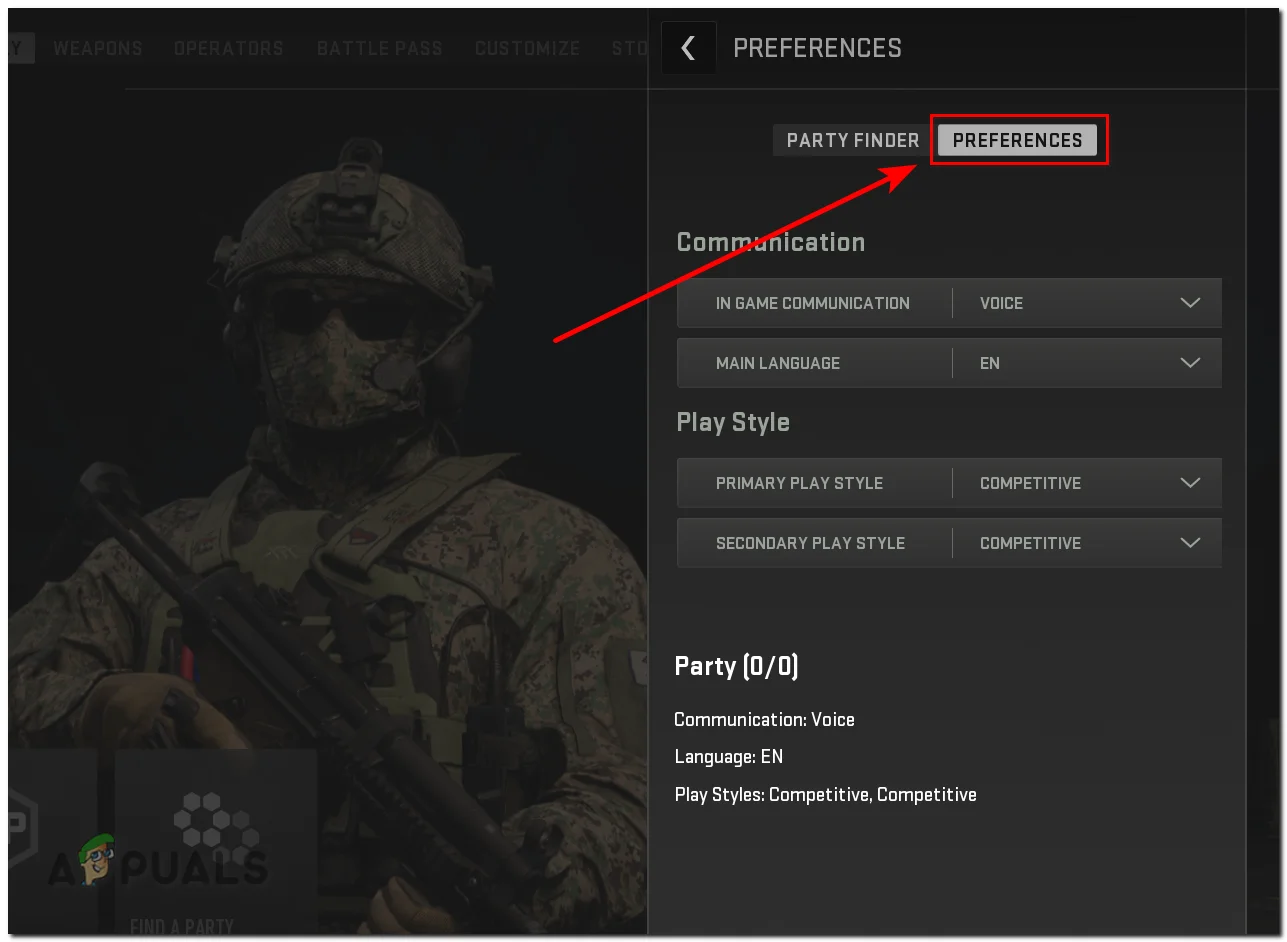
Having a functionality to disable SBMM has been a highly requested feature from the COD’s community since MW 2019. Now there is an option to disable SBMM in the ‘Find a party’ settings. There are four different playstyles you can choose from:
Casual – Sets you up with casual players.
Competitive – Matches you up with competitive players.
Objective – Pairs you up with players whose main goal is objectives completion.
High Kills – These lobbies are dedicated to high-kill players.
Try out each playstyle and find what works best for you; for most players, the ‘Casual‘ playstyle would be the most captivating as it provides a balance between fun and challenge.Apart from this playstyle setting, for console players, you can try disabling ‘Crossplay‘ to prevent you from matching up with PC players.
Step 1: Change Party Settings to Casual
First, we will set the party settings to casual. Follow these steps:Open Call of Duty Modern Warfare 2
Head over to the main menu
Now, press the ‘Find a Party‘ button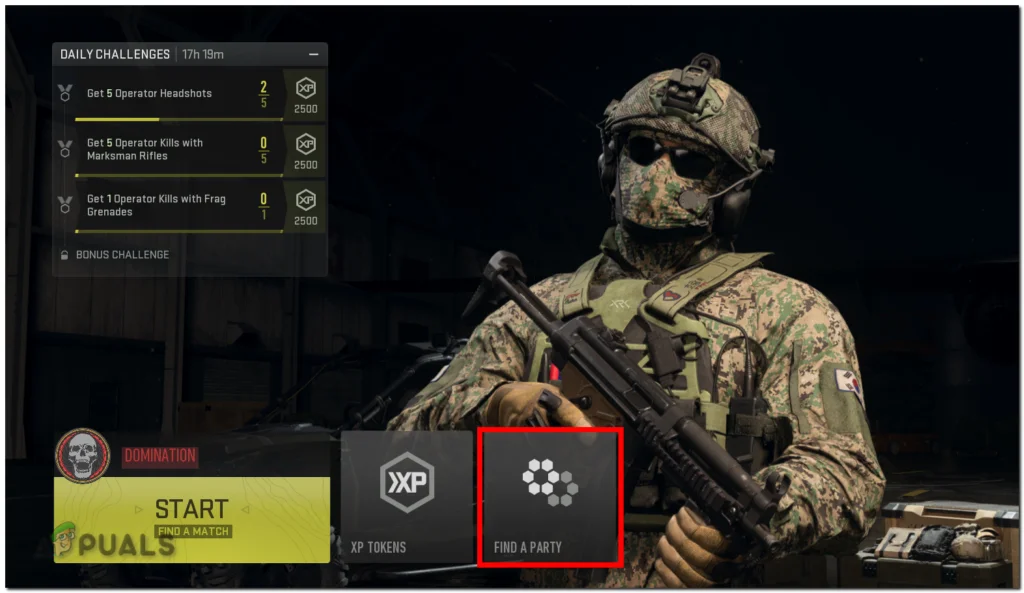
Click the ‘Preferences‘ option on right-side
-
11/12/2022 at 14:25 #97633
oooh, thanks. Did not know that 🙂
-
-
AuthorPosts





- You must be logged in to reply to this topic.