by Powerbits
- This topic has 0 replies, 1 voice, and was last updated 3 months, 3 weeks ago by
 Powerbits.
Viewing 0 reply threads
- You must be logged in to reply to this topic.
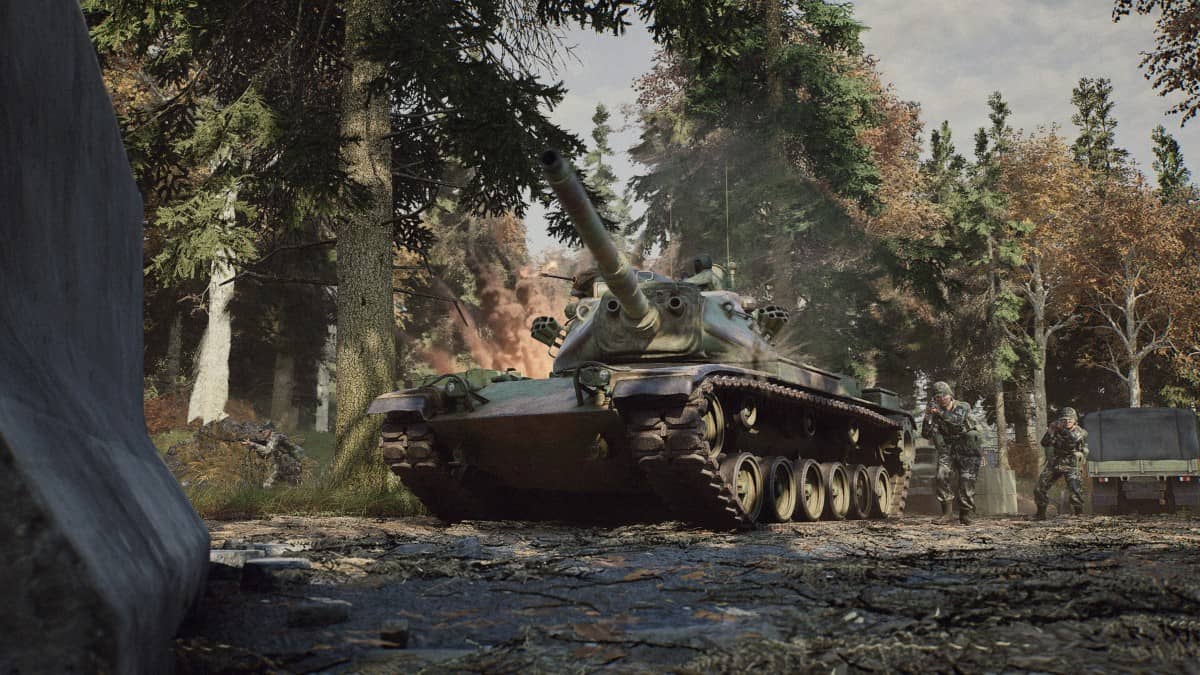
Quality of Life Patch #4 is out now – containing a number of key changes/improvements which you can read all about in the patch notes below.
Hope you enjoy the update and see you on the battlefields of ’83!
TL;DR Changes
Communications Rose Added (Default key ‘K’)
Added the ability to mercy kill downed players which will stop their death screams mid sentence.
More battle chatter added
More HUD/UI rendering options for players in settings
Fix for multiple bandaging issues
Map out of bounds is now visible on the overhead map
Tank engines are no longer silent when started outside of local client hearing range
Quality of Life Patch #4 – Changelog
Art
Fix for Collision on Silo Railings in Norway Fuel Depot and on all of the road barriers, you can shoot through them now!
Fix for Soviet trucks collisions being too big to shoot around sides
Update to Fish Farm dressing
Fix for grenades falling through map when throwing into a pot prop in Fulda Nato village
Fix Rug material in Power station to bright
Fix for door with no material in Bunker
Audio
Added the ability to mercy kill downed players which will stop their death screams mid sentence.
“Wounded” and “Bleeding” battle chatter now functional with audio lines hooked up
Mix updates
New battlechatter lines for American voices
Added Missing AK-74 soundbank
Tank engines are no longer silent when started outside of local client hearing range
UI
Implemented a communication rose for user selected voice comms (default key = ‘k’).
Fixed various world objects obscuring friendly team icon in HUD
Replaced VOIP broadcasting icon
Replaced placeholder “receiving VOIP” icon with a permanent one
Added user-configurable setting to disable rendering of red walls indicating the out-of-combat areas
Added user-configurable setting to disable rendering of objective boundaries (the lines on the ground).
Changed objective world icon ironsight opacity shift from being FoV based, to being ironsight based (like all other world icons).
FIxed objectives being borderline invisible while driving vehicles for anyone using a higher than default base FoV
Fixed an issue where you can get stuck in UI and you can’t move your cursor in many situations
Fixed gunner UI state lingering after leaving tank from gunner seat
Fixed kill feed showing PKM kill icon for T-64B gunner coaxial kill
Fixes kill feed showing incorrect kill icon for M60A3 gunner
Fixed stretched preview character
Optimised preview character rendering
Added opacity setting for score feed.
Fix player score sometimes not updating on scoreboard
Code
Added scores for when a vehicle is exploded or ignited
Set default low settings for Steam Deck
Strike target area marks have their own label (TL, SL 1, SL 2, etc) and squad colour if the mark came from your squad
Added scores for when a player spawns on SL’s/Commander’s spawn point
Hide the objective bounds shader when an objective is disabled
Fixed T-64B coaxial MG getting stuck after reload
Fixed M60A3 (Patton) co-axial MG reload time
Tweaked LOD settings and removed Min Max texture to help reduce landscape tessellating down over short distance.
Fixed height texture not reading landscape height to RVT properly
Made sure the scope texture matches the shape and offset and that scopes don’t get too bright.
Speculative fixe for client crash on commander gameplay cooldown changed
Fixed some bugs relating to weapon pooling optimization
Makes building with both spawn beacons easier on concrete fjord areas
Fixed steering from look and keyboard mutex
Fixed not being able to give MG ammo despite having MG ammo belt. Added score for sharing MG ammo.
Implemented bandaging a teammate score.
Fixed uncontestable objective kills awarding scores in assault mode
Design
Modified taunts to not send accompanying chat messages
Adjusted 155mm impact explosion
Servers
Updated map rotations with new beta map – Fjord Siege!
Speculative fix for server crash on killing disconnected player pawn in vehicle seats
Fixed SetTeam command not working as intended and stopping people from spawning after team switch
Minor adjustment to map voting settings to attempt to resolve issues where the setting does not persist, additional logging to provide more info if it still happens
Level Design
As-Fjord Nato
Added new overhead maps with OOB representation
Adjusted spawn protection in a few places to match the OOB representation on the Overhead map
As-Fjord Pact
Added new overhead maps with OOB representation
Adjusted spawn protection in a few places to match the OOB representation on the Overhead map
As-Woodpecker Nato
Removed concrete wall on the elevated platform in the Sawmill.
Made the lower concrete walls 86cm and reduced the number of walls looking towards Nato home base within the Lumberyard building.
Removed clipping foliage in rock
Foliage removed from hut near the substation.
New OH map variants have been added to all variants of Woodpecker.
As-Woodpecker Pact
Pact HQ Icon has been moved to the stage 1 static spawn location.
Fl-Fjord
Added new overhead map with OOB representation
Adjusted spawn protection in a few places to match the OOB representation on the Overhead map
Fl-Woodpecker
File cases that are laid down on the top floor of the Command Center have had their collision set to custom and their mantle response set to ignore.
Wall within the Lumberyard building have been adjusted.
Adjusted terrain in outpost B to accommodate the correct cover metrics. Added additional props to cover gaps in between assets.
Building next to outpost B and the shack in the village have had additional props added to them.
Multiple trees in the Nato HQ, Pact HQ, Substation area have been adjusted.
Vegetation removed from the abandoned shack at the back of the train station.
Black tree removed from the Lumberyard zone.
Bright tree in farm area has been replaced with another tree.
Rock clipping through tree at the Substation has been adjusted.
Floating tire adjusted near Scrapyard.
Placed props against the lower level of the command centre’s opaque windows.
New overhead map variants have been added to all variants of Woodpecker.
Shooting range
Shooting Range map has been updated on the overhead map to the correct material.
Shooting Range – Foliage adjustments
OOB has been updated and the overhead map has been added to the world settings and overhead camera.
Fjord Siege
Icon on B centred to the location and higher over the building
Fixed CP bounds bleeding through walls
Fixed overlapping protection zones
Time and tickets adjustments
Powerbits.